Introduction To NixOS – The Declarative Operating System
Introduction To NixOS
NixOS is the Linux distribution that lets you define your entire operating system as code, version-control it in Git, and roll back any change in seconds. In this guide we explore what NixOS is, why it has become the go-to choice for developers and home lab enthusiasts in 2026, how to get started from scratch, how to deploy it anywhere via SSH with nixos-anywhere, and how it stacks up against the best immutable Linux alternatives available today.
What Is NixOS?
NixOS is a Linux distribution built entirely around the Nix package manager: a tool originally conceived in 2003 by Eelco Dolstra at Utrecht University as a research project into purely functional software deployment.
The operating system itself grew from a 2006 Master’s thesis and issued its first stable release (version 13.10, nicknamed “Aardvark”) in October 2013. Today it is maintained by the NixOS Foundation, a Dutch non-profit established in 2015, and follows a predictable twice-yearly release cycle, near the end of May and November, with the most recent stable release being NixOS 24.11 “Vicuña”.
The defining characteristic of NixOS is its declarative configuration model. Rather than imperatively running commands such as apt install or editing files scattered across the filesystem, you describe the desired state of your entire system in a single Nix expression file, conventionally located at /etc/nixos/configuration.nix.
When you apply that configuration, NixOS builds a complete, self-contained generation of your system and activates it atomically. It is important to distinguish between two related but separate concepts you will encounter constantly in this ecosystem: Nix (the package manager, installable on any Linux distribution or macOS) and NixOS (the full immutable operating system) where every aspect is managed declaratively.
Key Features & Concepts
Declarative System Configuration
The entire operating system is configured by specifying the desired state in a Nix expression file. Here is a minimal, illustrative configuration.nix that installs Git, enables SSH, and creates a user:
{ config, pkgs, ... }:
{
  # Specify the system boot loader
  boot.loader.systemd-boot.enable      = true;
  boot.loader.efi.canTouchEfiVariables = true;

  # Networking
  networking.hostName = "my-nixos-machine";

  # Enable OpenSSH
  services.openssh.enable = true;

  # System-wide packages
  environment.systemPackages = with pkgs; [
    git
    vim
    htop
    curl
  ];

  # Define a user account
  users.users.ben = {
    isNormalUser = true;
    extraGroups  = [ "wheel" "networkmanager" ];
    shell        = pkgs.bash;
  };

  system.stateVersion = "24.11";
}Once you are happy with your configuration, a single command builds and activates it:
sudo nixos-rebuild switchAtomic Upgrades and Rollbacks
Every nixos-rebuild switch creates a new, immutable generation of your system. Previous generations are never overwritten. If an upgrade goes wrong, or a configuration change causes an unexpected issue, you can roll back instantly:
# Roll back to the previous generation
sudo nixos-rebuild switch --rollback

# Or select any generation from the GRUB/systemd-boot menu at boot time“It fundamentally changes the contract between the user and the operating system. With NixOS, the fear of breaking your system is gone. Every rebuild creates a new generation, and if an update breaks something, you simply reboot and select the previous generation from the boot menu.”
Pierre Zemb, Senior Engineer
Read the full post.
Reproducible Builds via the Nix Store
All packages in NixOS are stored in the Nix store (/nix/store/) under a unique, content-addressed hash path. Multiple versions of the same package can coexist without conflict: there is no dependency hell. A package’s build output depends only on its declared inputs, so given the same inputs, you always get the same result, regardless of the machine’s prior state.
# Install a package temporarily in a shell without modifying your system
nix-shell -p python3 nodejs

# Or with the newer nix CLI and Flakes enabled
nix shell nixpkgs#python3 nixpkgs#nodejsThe Nixpkgs Collection
NixOS draws from Nixpkgs, one of the largest package collections of any Linux distribution, with over 100,000 packages actively maintained by the community. You can search the full package list at the official NixOS packages search page (search.nixos.org).
# Search for a package from the command line
nix search nixpkgs firefox

# View all available NixOS module options
nixos-option services.nginx.enableThe appeal of NixOS goes well beyond novelty. Here are the core reasons engineers, DevOps teams, and power users are choosing it in 2026.
Developer and blogger Branden Hernandez, writing after a week of daily NixOS use said, “When NixOS works, it really works. If I need to install something, I just add one line to my configuration.nix and apply the change. I don’t have to worry about missing dependencies or messing up my system“.
- Your OS lives in Git. Because your entire system state is a text file, you can version-control it, review diffs, and restore any historical configuration with a simple
git checkout. - Zero dependency conflicts. Each package is installed in complete isolation inside the Nix store. Different users or projects can run entirely different versions of the same library without any clashes.
- Fearless updates. The atomic, generation-based upgrade model means you can apply system updates and immediately roll back if something breaks, directly from the boot menu, with no recovery USB required.
- Identical environments everywhere. Share your
configuration.nixwith a colleague or a new server and get a byte-for-byte equivalent system. This makes NixOS compelling for CI/CD pipelines, server provisioning, and multi-machine setups. - Reproducible development shells. Use
nix-shellor Nix Flakes to define project-specific development environments that every team member runs identically, without polluting the global system. - Built-in testing framework. NixOS ships with the ability to spin up lightweight virtual machines directly from your configuration to run integration tests: a capability unique in the Linux distribution landscape.
- Reduced supply-chain risk. Prebuilt binaries are only fetched from explicitly trusted binary caches. Everything else is built from source in a sandboxed environment, reducing exposure to tampered packages.
Who Should Use NixOS?
NixOS rewards those who are willing to invest upfront in learning its unique paradigm. It is particularly well-suited to the following groups:
- Software developers who want reproducible, isolated per-project development environments and a system configuration that can be committed to source control alongside their code.
- Systems engineers and DevOps professionals who manage multiple servers and want a single source of truth for system state, enabling fully automated, reproducible deployments.
- Home lab enthusiasts who run Docker stacks, media servers, or self-hosted services and want configuration changes to be safe, reversible, and documented.
- Security-conscious users who value immutability, sandboxed builds, and a system where every change is explicit, auditable, and trackable.
- Distro-hoppers seeking a final destination. Many long-term NixOS users describe it as the last distribution they will ever need: not because it is perfect, but because its reproducibility removes the friction that normally drives people to reinstall.
NixOS is not recommended for Linux beginners, those who need to run proprietary or FHS-dependent software without modification, or anyone who values quick, imperative changes over declarative correctness. The learning curve is real and should not be underestimated.
A 2022 review in Full Circle magazine noted that “NixOS impresses as serious, neat, and elegant” whilst also acknowledging that “the steep learning curve for package management is the clear downside for newcomers“.
Getting Started with NixOS
This highly rated tutorial by Tony walks through a complete NixOS installation from the minimal ISO, incorporating Flakes and Home Manager from the very beginning. It is one of the most popular NixOS tutorials available and pairs well with the steps in this guild.
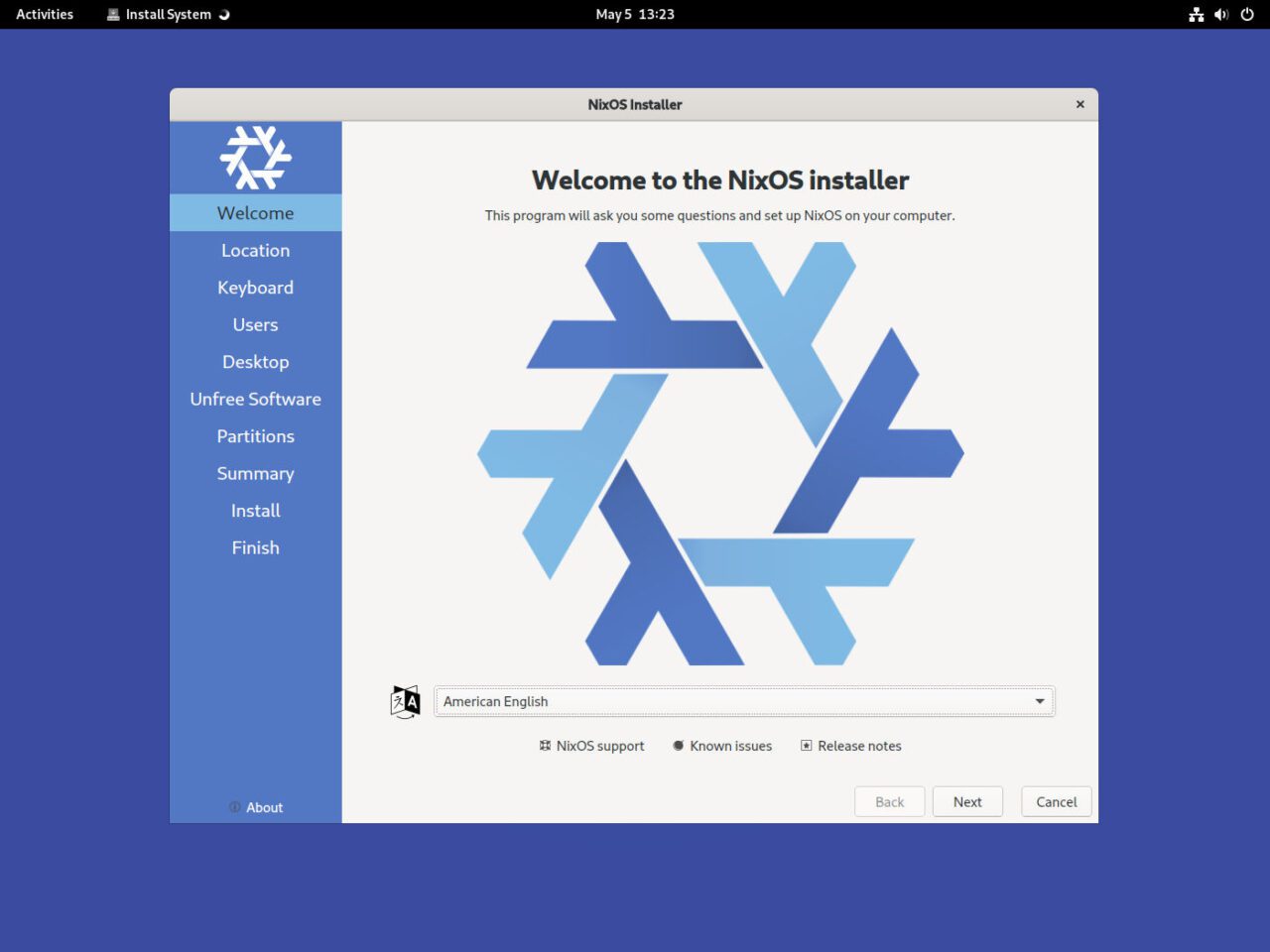
Head to nixos.org and grab the latest stable ISO. There are two flavours: the Graphical installer, which uses Calamares and lets you choose a desktop environment during installation (recommended for those new to NixOS), and the Minimal ISO, a bare console environment for those who want full control over partitioning and configuration from the outset.
Write the ISO to a USB drive using a tool such as Balena Etcher, Rufus or the dd command on Linux:
sudo dd if=nixos-24.11-minimal.iso of=/dev/sdX bs=4M status=progress oflag=syncBoot into the live environment and partition your drive. A typical UEFI setup using fdisk might look like this:
sudo -i

# Partition the disk (replace /dev/nvme0n1 with your device)
fdisk /dev/nvme0n1
# Create: 1G EFI partition (type EFI System), swap, and root partition

# Format the partitions
mkfs.fat  -F32   /dev/nvme0n1p1        # EFI
mkswap            /dev/nvme0n1p2        # Swap
mkfs.ext4         /dev/nvme0n1p3        # Root

# Activate swap and mount
swapon /dev/nvme0n1p2
mount  /dev/nvme0n1p3 /mnt
mkdir -p /mnt/boot
mount /dev/nvme0n1p1 /mnt/bootThe nixos-generate-config command produces two files in /mnt/etc/nixos. The hardware configuration is the
- hardware-configuration.nix (auto-detected hardware settings you should not edit by hand)
- configuration.nix (your main system configuration, which you edit to taste).
nixos-generate-config --root /mntUsing nano, vi or vim, edit the NixOS configuration file, as seen in the example below.
{ config, pkgs, ... }:
{
  imports = [ ./hardware-configuration.nix ];

  boot.loader.systemd-boot.enable      = true;
  boot.loader.efi.canTouchEfiVariables = true;

  time.timeZone = "Europe/London";

  i18n.defaultLocale    = "en_GB.UTF-8";
  console.keyMap        = "uk";

  networking.hostName              = "my-nixos";
  networking.networkmanager.enable = true;

  # Enable a desktop environment
  services.xserver.enable                      = true;
  services.xserver.displayManager.gdm.enable  = true;
  services.xserver.desktopManager.gnome.enable = true;

  # Define your user
  users.users.ben = {
    isNormalUser = true;
    extraGroups  = [ "wheel" "networkmanager" ];
  };

  environment.systemPackages = with pkgs; [
    git vim wget curl firefox
  ];

  system.stateVersion = "24.11";
}nixos-install
rebootAfter rebooting you will be greeted by your new NixOS system. To make any future change, edit /etc/nixos/configuration.nix and run sudo nixos-rebuild switch. To list all generations on your system:
sudo nix-env --list-generations --profile /nix/var/nix/profiles/systemWatch: NixOS Beginner Lecture Series (Official Weekly Talks)
The NixOS community runs a weekly, beginner-oriented interactive video lecture series covering all things Nix, from the basics of the language through to Flakes and Home Manager. It has been running since October 2022 and is available as a growing YouTube playlist.
▶ Watch the NixOS Lecture Series Playlist on YouTube
Alternatives to NixOS
NixOS sits within a growing category of immutable Linux distributions: operating systems that protect the base system from unintended modification and apply changes atomically. If NixOS feels like too steep a learning curve, or its opinionated model does not fit your workflow, the following alternatives are worth serious consideration.
Fedora Atomic represents Red Hat’s vision for the future of the Linux desktop. Built on rpm-ostree technology, it delivers an immutable base operating system with atomic, over-the-air updates and seamless rollback capability, all wrapped in a polished, GNOME-based desktop experience that will feel familiar to anyone who has used a conventional Linux distribution.
Download: fedoraproject.org/atomic-desktops
- Based on Fedora with full rpm-ostree atomic update support.
- GNOME desktop out of the box; Kinoite variant offers KDE Plasma.
- Uses Flatpak for applications and Toolbox/Distrobox for development.
- Strongly backed by Red Hat with enterprise-grade SELinux policies.
- Far gentler learning curve than NixOS: no new language to learn.
- Limited reproducibility compared to NixOS; no declarative system-wide config.
- Ideal for: desktop users, Fedora fans, and teams transitioning away from mutable systems.
Unlike NixOS, Fedora Atomic does not ask you to learn a new configuration language; you interact with it largely as you would Fedora Workstation, supplementing the immutable base with Flatpak applications for desktop software and Toolbox (or Distrobox) containers for development work.
This makes it significantly more accessible to newcomers to the immutable Linux paradigm. The trade-off is depth of control. Fedora Atomic protects the base system but does not offer the fine-grained, code-defined system management that NixOS provides. You cannot describe your entire OS state in a single version-controlled file and deploy it identically to ten servers.
GNU Guix System is the closest philosophical sibling to NixOS in existence. It shares the same core premise (a purely functional, declarative operating system built atop a powerful functional package manager) but differs in its implementation language and ideological alignment.
Download: guix.gnu.org
- Declarative, functional operating system using GNU Guile Scheme.
- Fully free software; ships Linux-libre kernel with no proprietary blobs.
- Supports transactional upgrades, rollbacks, and per-user profiles.
- Smaller package collection and community than NixOS.
- Proprietary firmware and drivers require additional workarounds.
- Excellent choice for GNU/free software advocates and Lisp/Scheme enthusiasts.
- Ideal for: research environments, free software purists, and Guile/Scheme developers.
Where NixOS uses its own Nix expression language, Guix uses GNU Guile Scheme, a dialect of Lisp, for everything from package definitions to system configuration. Guix is also a fully GNU-endorsed free software distribution, meaning it ships only libre-licensed software and a Linux-libre kernel by default, which can complicate matters for users who need proprietary firmware or drivers.
In practice, Guix has a smaller community and package collection than NixOS. For Lisp enthusiasts, functional programming purists, or users who prioritise software freedom above all else, Guix is a compelling and powerful option. For everyone else, NixOS will typically offer a more practical path to the same benefits of reproducibility and declarative configuration, backed by a larger and more active ecosystem.
Frequently Asked Questions
Is NixOS hard to learn, and how long does it take to get comfortable?
NixOS has a well-earned reputation for a steep learning curve, and it would be dishonest to claim otherwise. The primary hurdle is not the installation but rather the conceptual shift required to think declaratively about your system. Coming from Debian, Arch, or even Fedora, you will need to unlearn habits such as editing configuration files directly, running apt install or pacman -S, or making one-off system tweaks. In NixOS, virtually everything must be expressed in your configuration.nix first.
On top of that, the Nix expression language has its own syntax and functional programming semantics that take time to internalise. Basic package installation and service configuration can be picked up in a day or two. Reaching comfort with Nix Flakes, Home Manager, and writing custom derivations (package definitions) typically takes several weeks of regular use. Most users find that after two to four weeks of daily use, NixOS starts to feel natural, and the reproducibility and rollback capabilities begin to feel genuinely indispensable.
The community has produced excellent resources to ease the transition: the official NixOS Learn page at nixos.org/learn, the community-maintained NixOS and Flakes Book, and the NixOS Wiki at wiki.nixos.org are all highly recommended starting points. The YouTube creators covered in this article also offer accessible video walkthroughs for every stage of the journey.
Can I run NixOS on a server, and is it suitable for production use?
Absolutely. NixOS is increasingly popular in production server environments, and its properties make it arguably better suited to server use than to the desktop in some respects. The ability to define your entire server configuration in a single configuration.nix file, stored in version control, means your infrastructure is fully auditable, reproducible, and recoverable. A typical NixOS server configuration enabling Docker, Nginx, and PostgreSQL looks like this:
virtualisation.docker.enable = true; services.nginx = {
enable = true; virtualHosts."example.com" = { forceSSL = true; enableACME = true; root = "/var/www/example"; }; }; services.postgresql = { enable = true; package = pkgs.postgresql_16; enableTCPIP = false; };
In enterprise contexts, tools such as NixOps, deploy-rs, and Colmena extend NixOS with remote deployment capabilities, allowing you to manage fleets of servers from a central configuration repository. Combined with nixos-anywhere for initial provisioning, you can have a fully automated, reproducible server lifecycle: from first boot to ongoing updates, all driven from a single Git repository.
How do I install software that is not in Nixpkgs?
This is one of the most common friction points for new NixOS users. Because NixOS does not follow the traditional Filesystem Hierarchy Standard (FHS) (there is no /usr/lib or /usr/local/bin in the expected location), pre-compiled binaries that assume a conventional Linux layout will often fail to run.
There are several solutions depending on your situation. Flatpak covers most desktop applications by bundling their own runtime. The buildFHSEnv Nix function lets you define a persistent FHS environment in your configuration. For software you plan to use long-term, writing a custom Nix derivation is the most sustainable approach.
Does NixOS work well for managing a home lab?
NixOS is an excellent platform for home lab infrastructure, and many home lab enthusiasts cite it as one of its strongest use cases. Docker support is first-class and trivially enabled, with optional weekly auto-pruning to keep your system clean.
The real home lab superpower is the combination of version-controlled configuration and instant rollback. If a service update breaks your media server setup or your reverse proxy configuration late at night, you can reboot and select the previous generation from the boot menu in under a minute: no backup restoration, no manual package downgrading required.
Final Thoughts
NixOS is not the easiest Linux distribution to get started with, and it makes no apologies for that. It asks you to think differently: to see your operating system not as a collection of ad-hoc changes accumulated over months of use, but as a precise, version-controlled specification that can be reproduced, reviewed, and rolled back at any time.
For developers, systems engineers, and home lab enthusiasts who are willing to climb that learning curve, the reward is a level of system control, reproducibility, and confidence that no traditional distribution can match.
“NixOS really is the endgame of Linux in many respects, due to its reproducibility and its stability. Because of flakes, which allow you to pin your packages to a specific commit, and Home Manager, which enables you to version-control and reproduce your user configuration, the combination of these powerful tools makes NixOS both rock solid and bleeding edge.”
Tony, NixOS educator and author at tonybtw.com.
Whether you are managing a single development workstation, a fleet of servers, or a home lab filled with Docker containers and self-hosted services, NixOS offers a compelling answer to the perennial problems of dependency conflicts, configuration drift, and broken updates.
Ready to get started? Visit nixos.org, download the latest ISO, and take your first steps into declarative Linux.
The official nixos-anywhere repository is available at github.com/nix-community/nixos-anywhere


Post Comment
You must be logged in to post a comment.